Enthusiast
For the novel you are writing now.
$2/ month
- 1 active project
- 100 MB of images
- 30 days of version history and backups
Codicis is a place to write your novel. Mention a character in the text and their entry exists — nothing to fill in before you start, and the world keeps up with the story as you go.
14 days free. Everything included.
Book One · Chapter Three
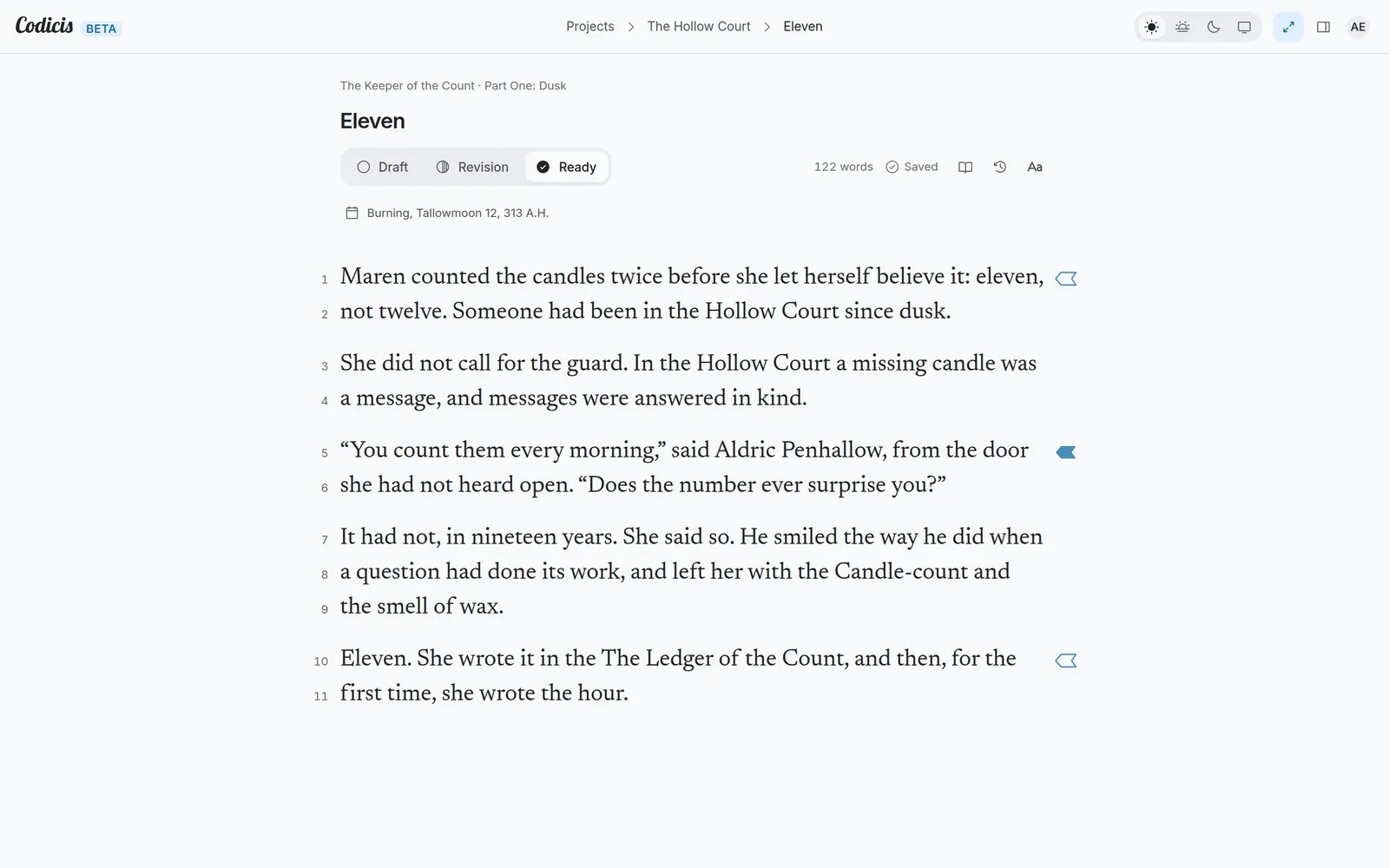
Maren counted the candles twice before she let herself believe it: eleven, not twelve. Someone had been in the Hollow Court since dusk.
She did not call for the guard. In the Hollow Court a missing candle was a message, and messages were answered in kind.
Three ways in
Some writers plan the world before the first sentence; some discover it by writing. Codicis is built for both — and for the day one turns into the other.
For the gardener
A new project opens in the editor: Book One, Chapter One, Scene One. No fields to fill in, no world to set up. Focus mode hides everything but the text; autosave keeps it, with a clear warning if it ever cannot. The world can wait until you need it.
For every writer
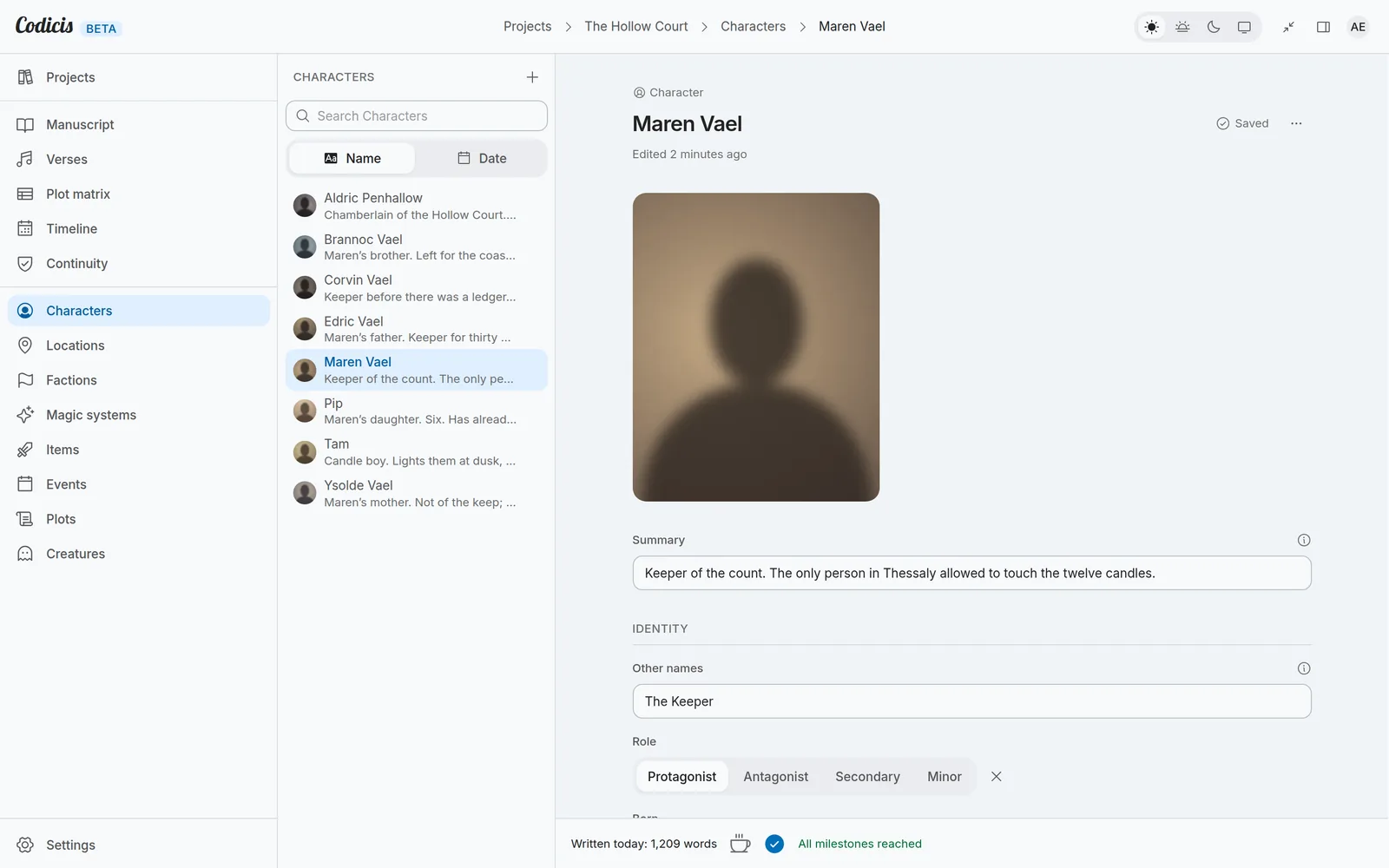
Type @ in a scene and the character exists. Open the entry and it is already a sheet — appearance, voice, secrets, born and died, parents and spouse, who they answer to. Seven types come ready: characters, locations, factions, magic systems, items, events and plots. Every field says what it is for.
For the architect
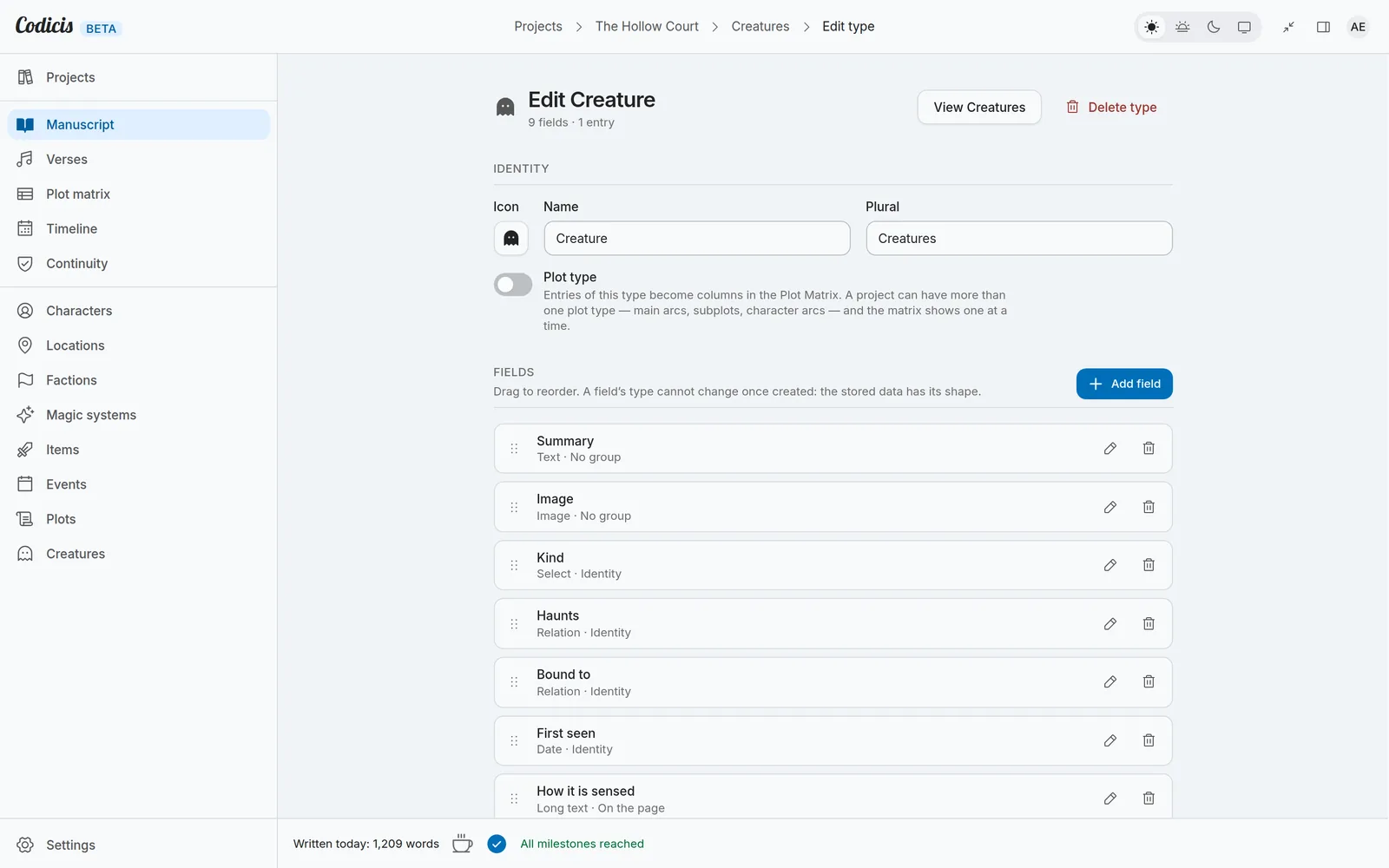
Add fields, remove them, group them, reorder them. Create your own types — a creature, a language, a ship — with the same field kinds the defaults use: text, selection, dates in your calendar, relations that build trees, galleries. Every entry gets a page built from its template.
The problem
Continuity breaks in the gap between the manuscript and the notes. You write in one place and keep the world in another — a spreadsheet, a wiki, a notebook — and the two drift apart in silence until a reader catches it. Codicis keeps the world inside the manuscript, so the entry for a character is one click from every line she appears in.
Everything in the app
Screens from the app, not mockups. They follow the theme you pick up top — Day, Dawn or Night — and the interface comes in English and Portuguese.
Type set the way you read
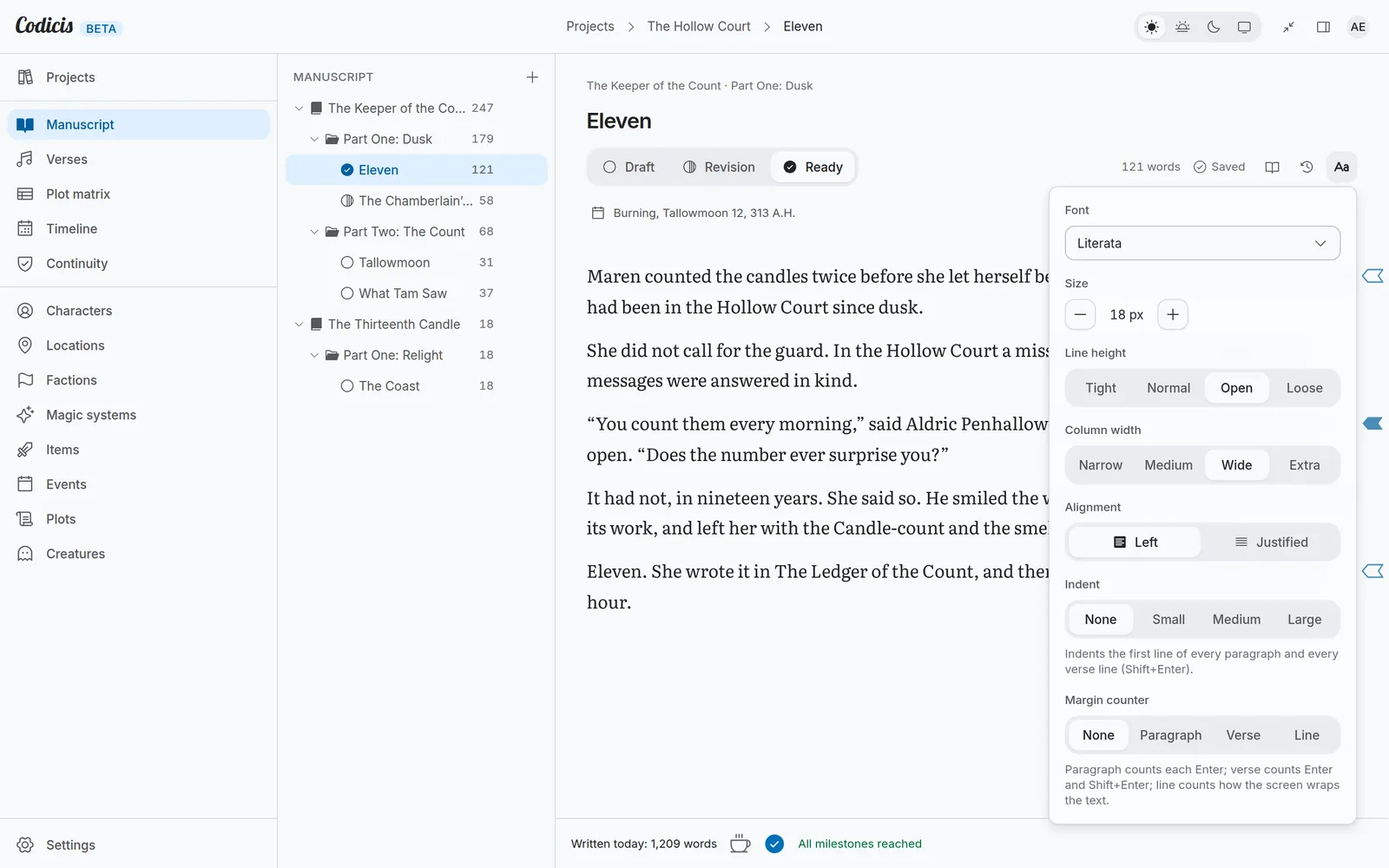
Literata, Source Serif, Newsreader or Spectral; your size, line height, column width, alignment and indent. A counter in the margin by paragraph, verse or line, if you want one.
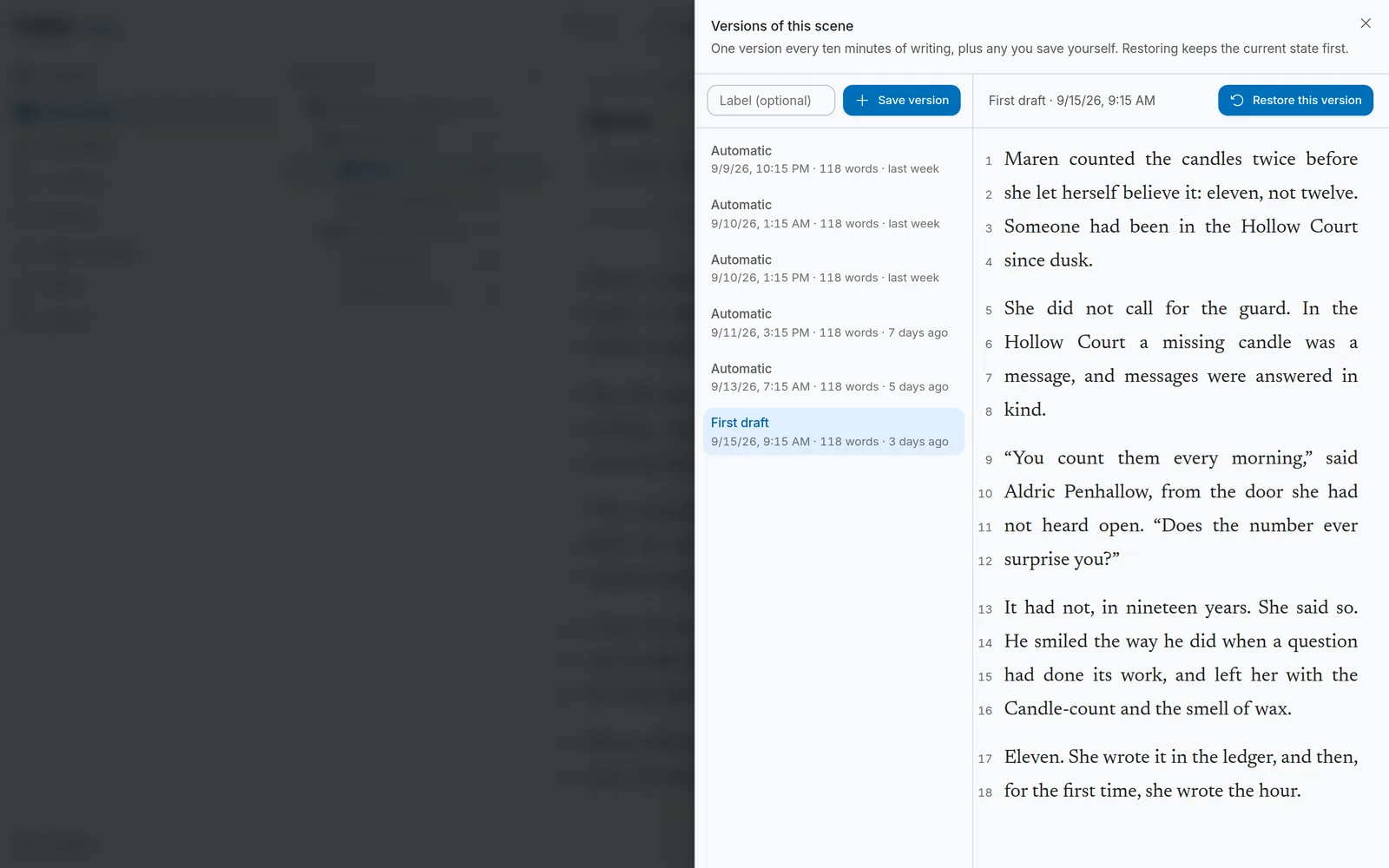
Every ten minutes, a version
Automatic snapshots as you write, plus the ones you name. Pick one to read it as it was; restoring keeps the current state first, so nothing is ever lost.
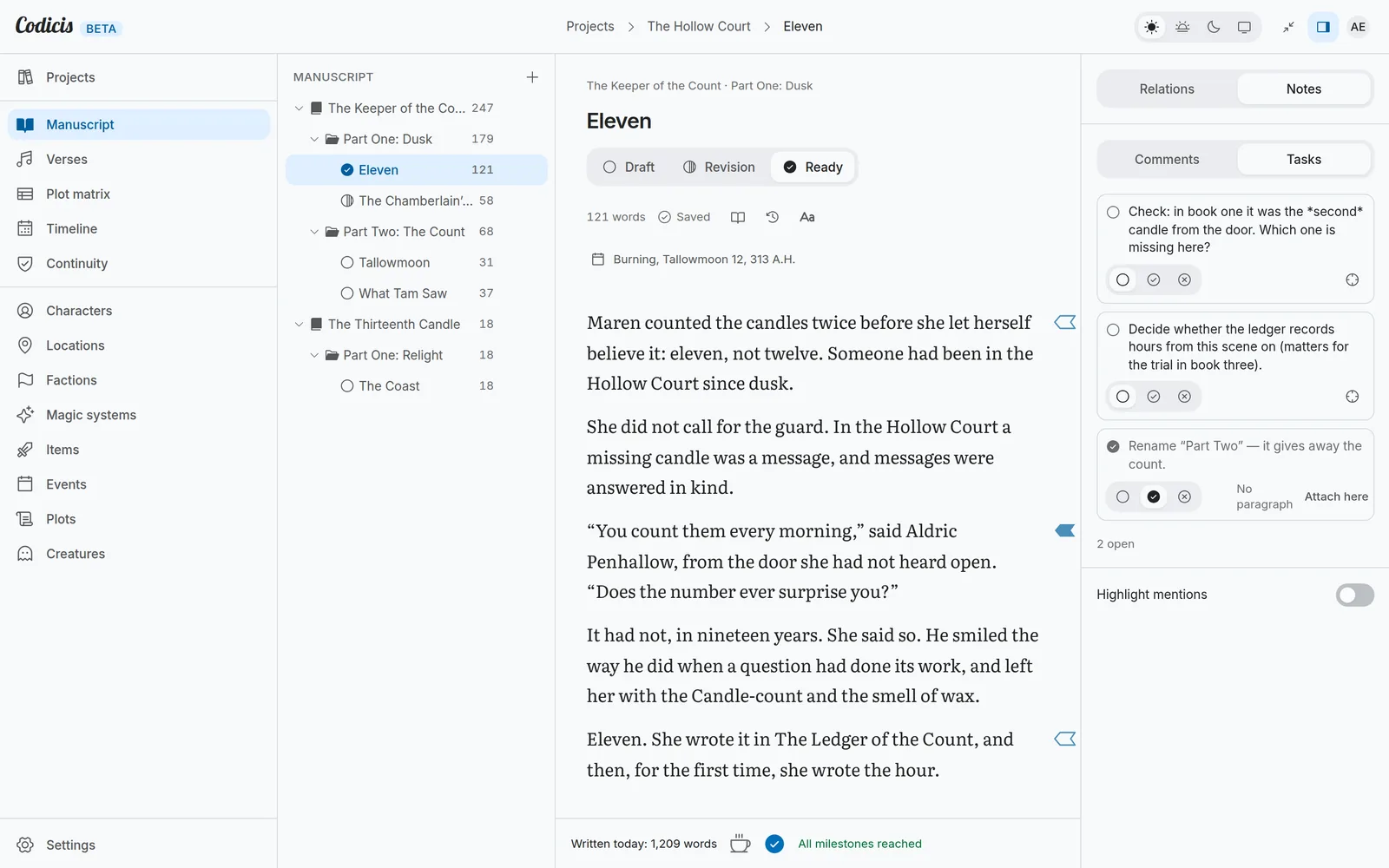
Comments and tasks, anchored to the paragraph
A note to yourself, or a task to come back to, pinned to the exact paragraph. Markers in the margin; the list in the inspector, with what is still open.
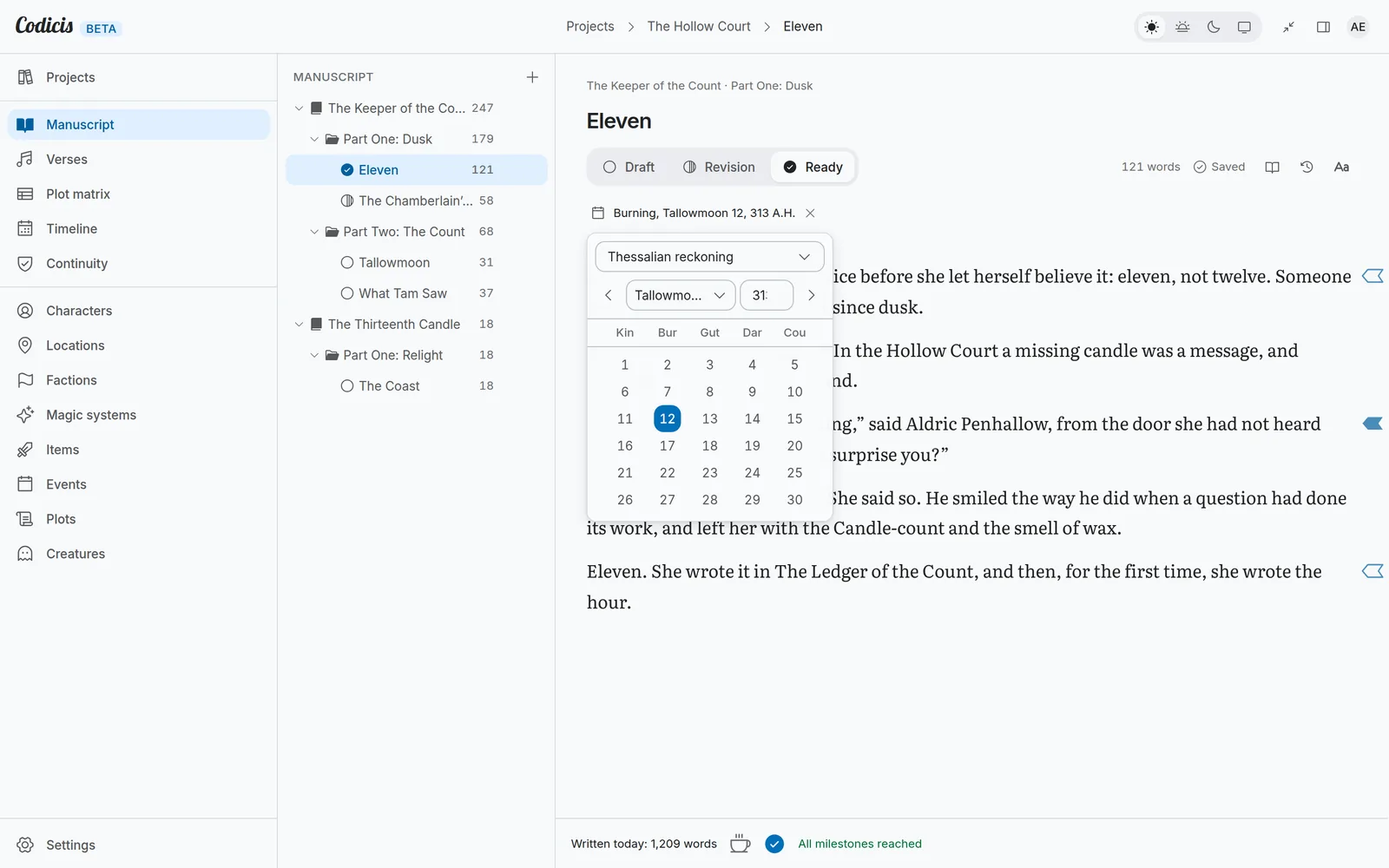
Scenes with a date in your calendar
Give a scene a day and the timeline places it among the births, deaths and events of the world. The picker is a grid built from your calendar — five-day weeks and all.
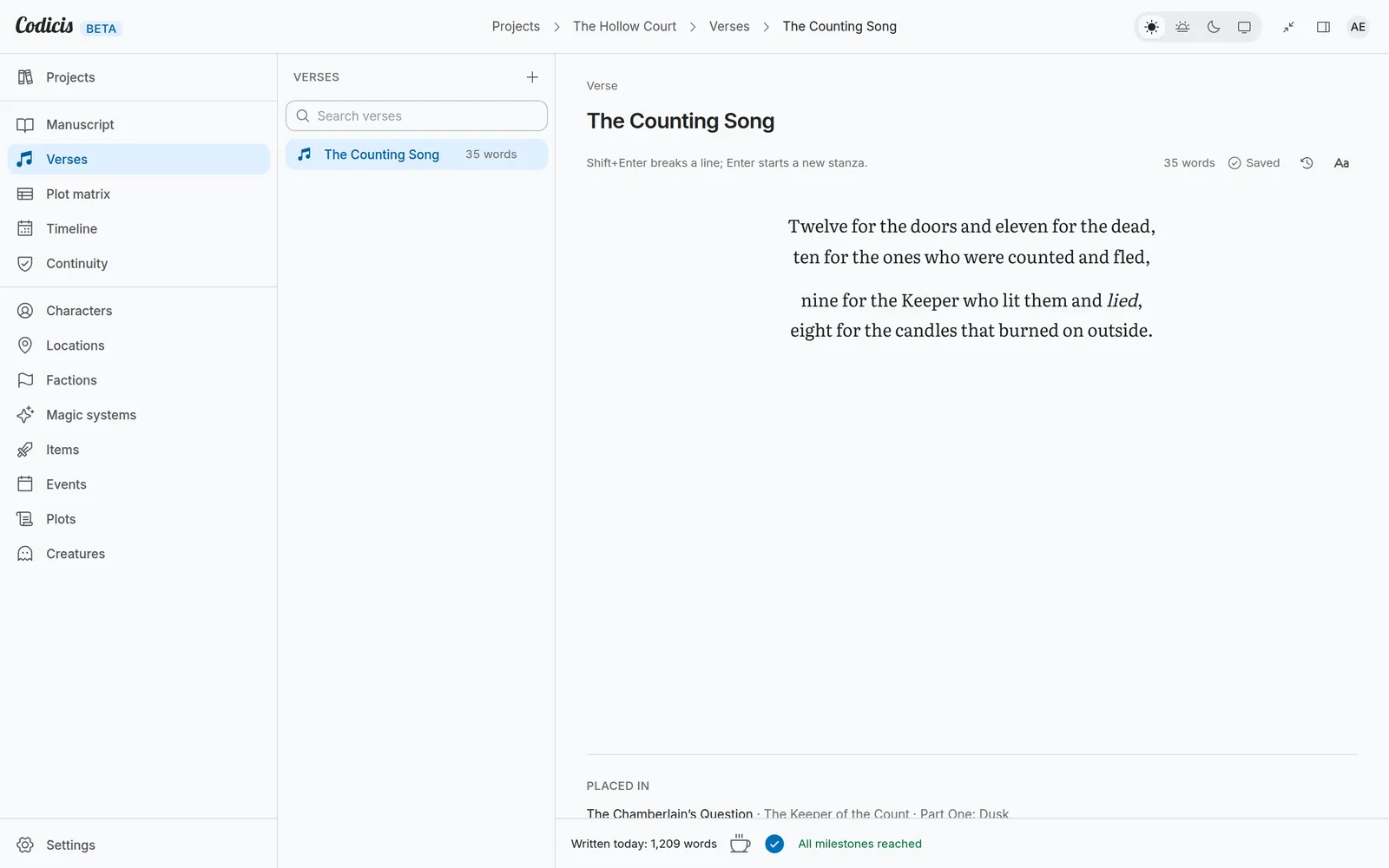
Verses: poems and songs, written once
Write a song in the Verses section, centered as it will read. Type # in a scene to place it. In the manuscript it stays a marker; in the reader and the exports it is set in a narrower column, italic, as on the printed page.
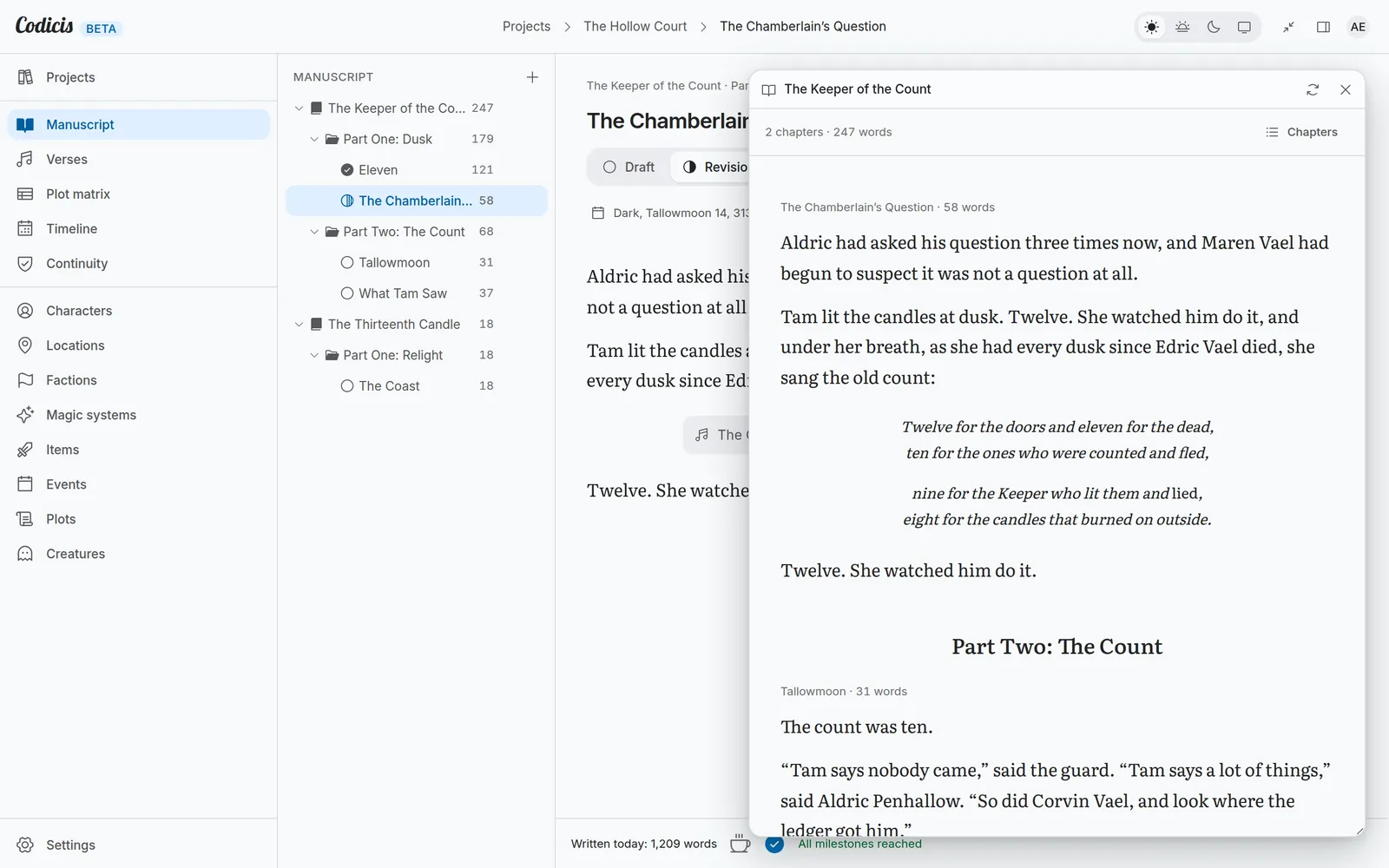
Read the book as a book
The whole book in a floating window over the editor, in your typography, with the songs set as they will print. Click a scene title to jump to it.
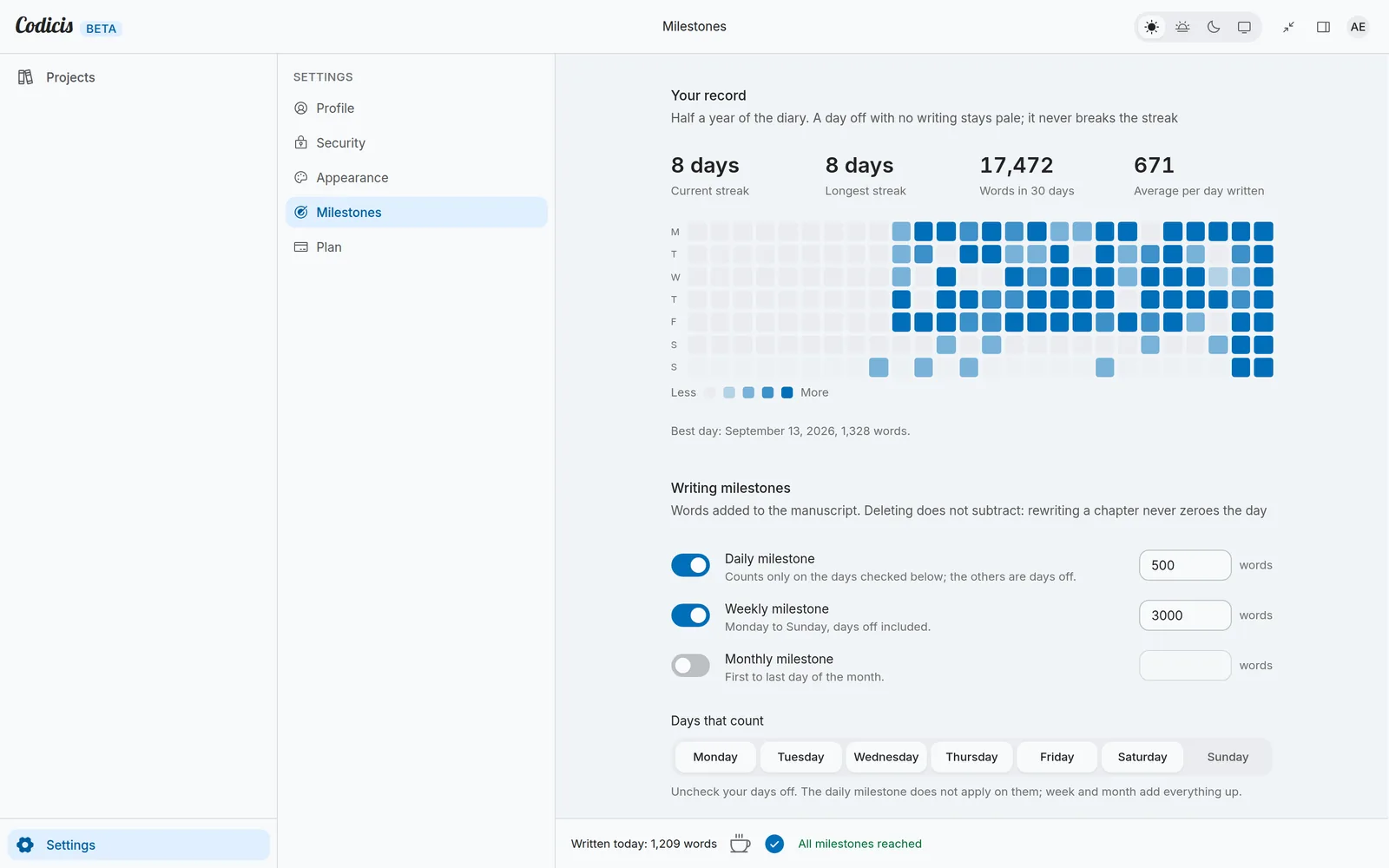
A daily milestone, and half a year of record
Set the words per day, week or month, and which days count. The bar at the bottom fills as you write; the settings page keeps your streaks, your best day and a six-month grid.
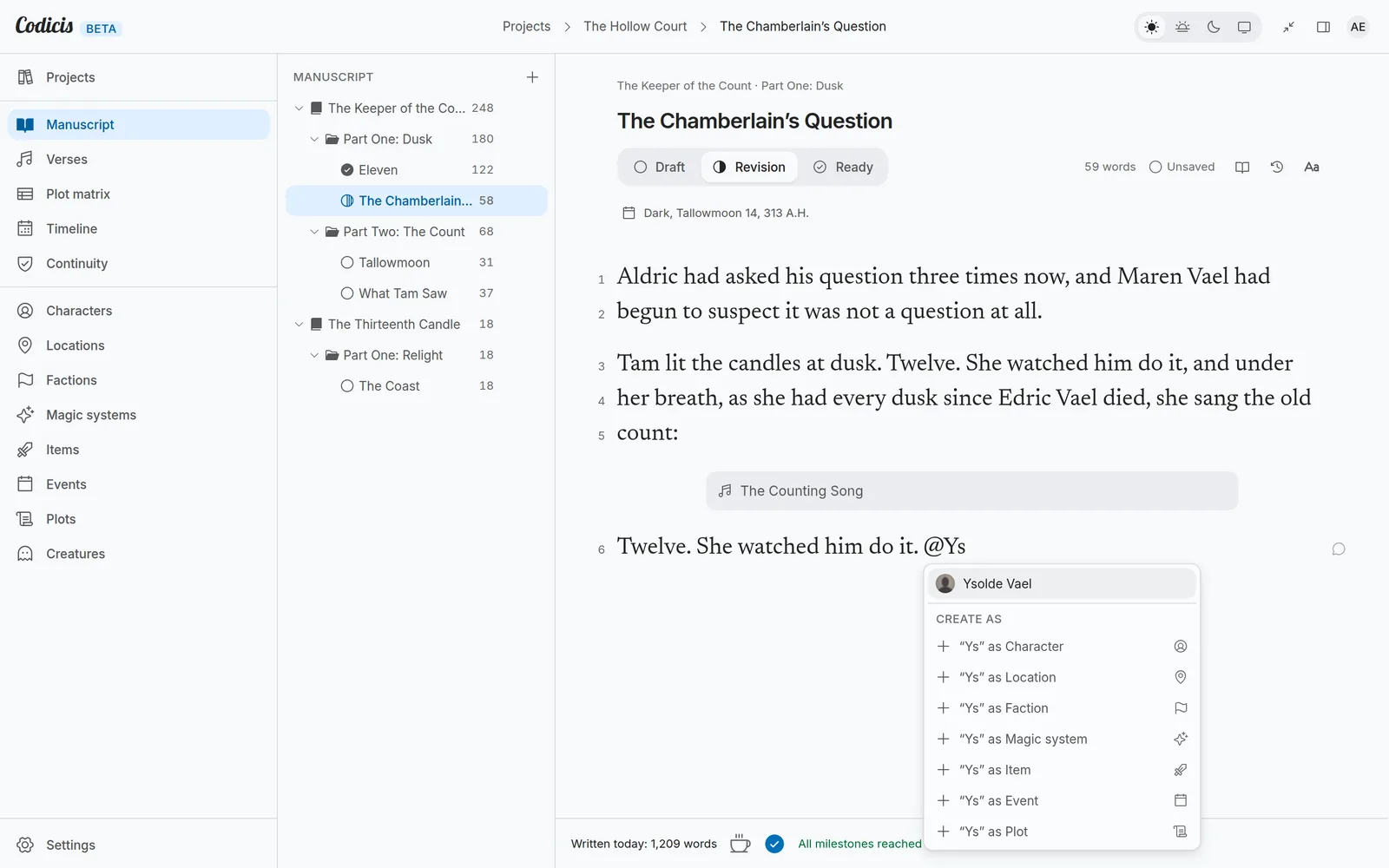
Mention, and the link is real
Type @ to reference a character, a place, a faction. If the entry does not exist yet, create it as any type without leaving the sentence. Every mention is tracked in both directions.
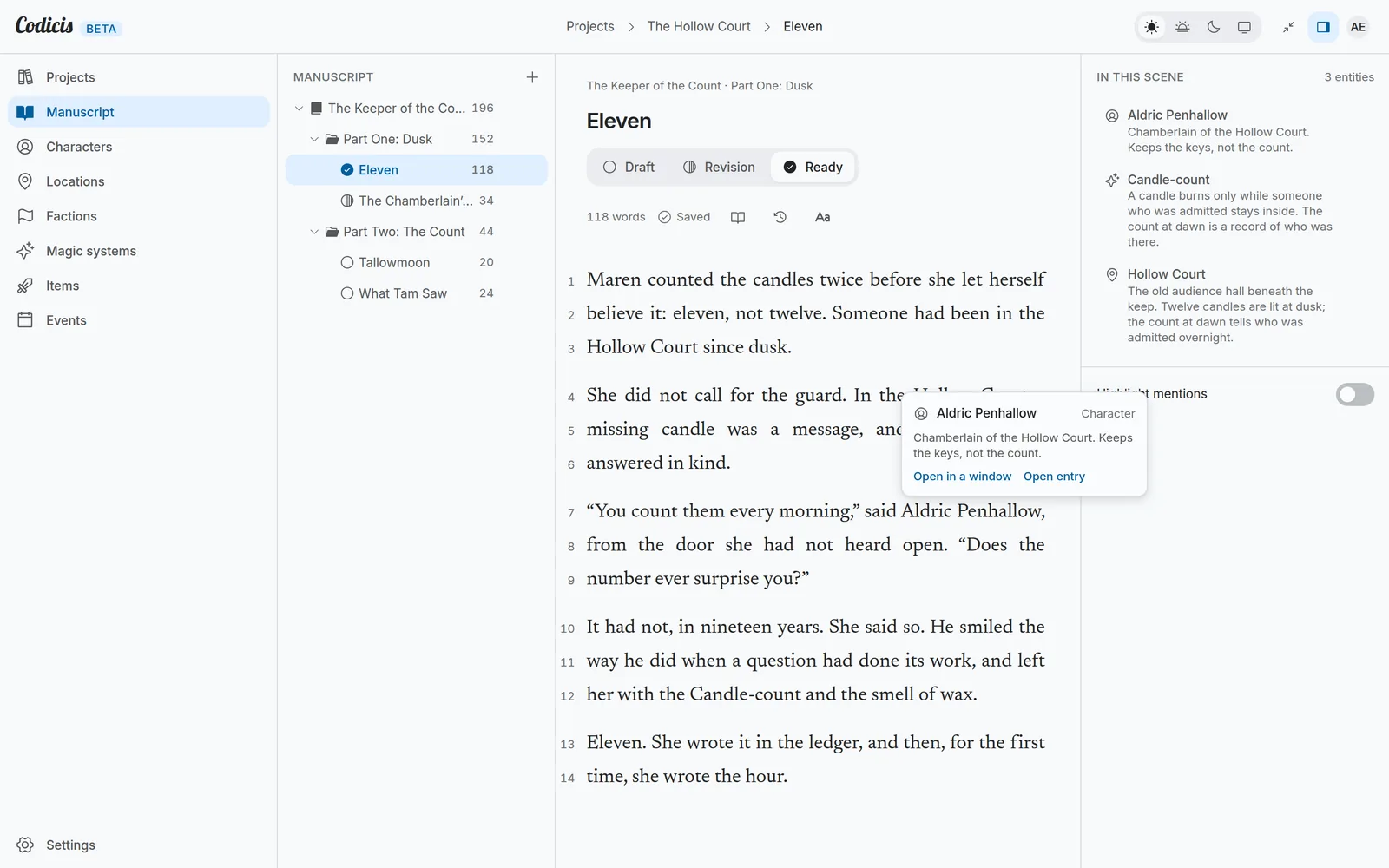
The inspector: who is in this scene
The inspector lists every entry mentioned in the open scene, with its summary. Hover a name in the text to read the entry without leaving it; open it in a window if you need more.
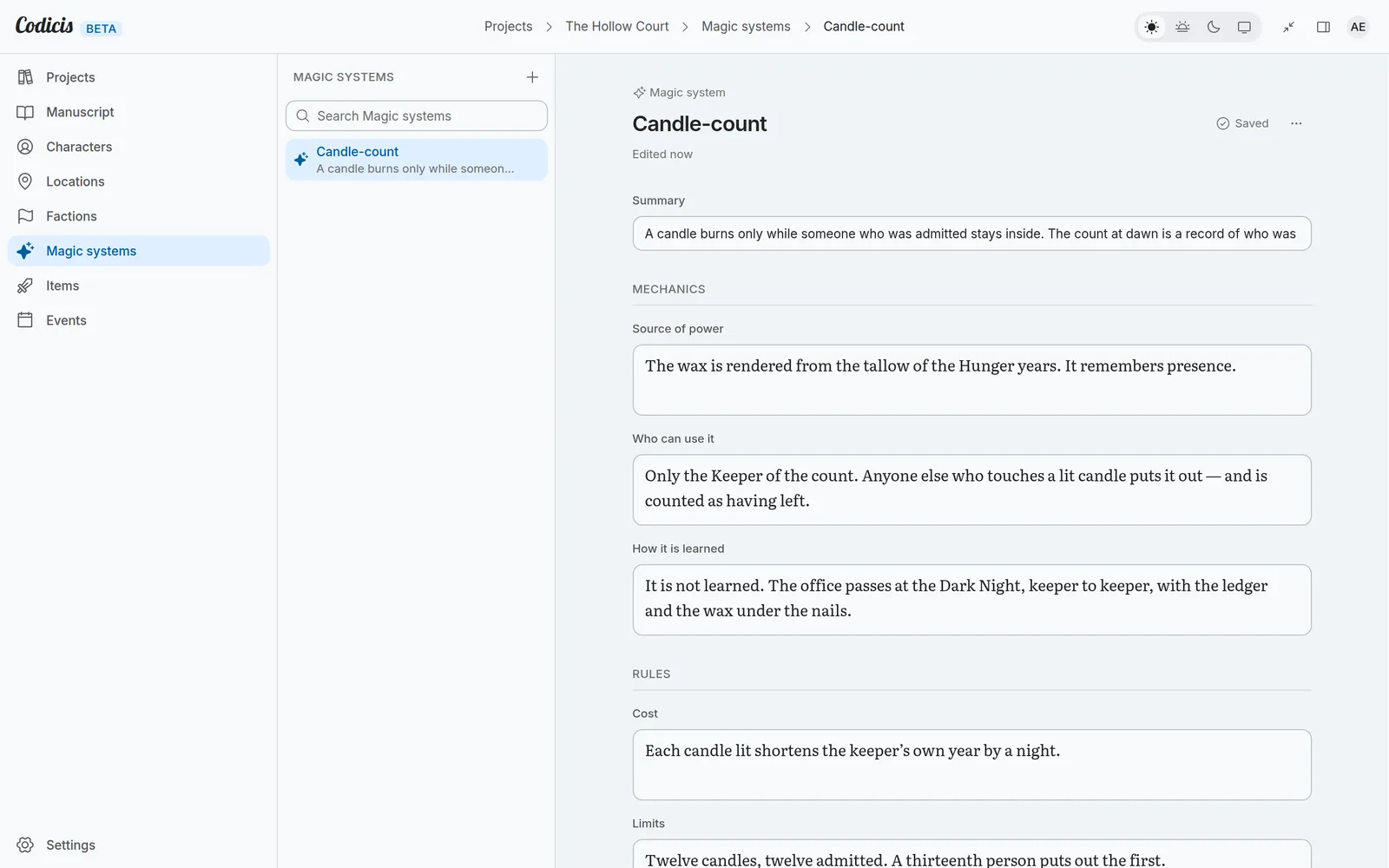
A magic system as structured fields
Source, who can use it, how it is learned, cost, limits, side effects, established rules — each its own field, each a document with mentions of its own. Treat the magic like engineering, because that is how you already think about it.
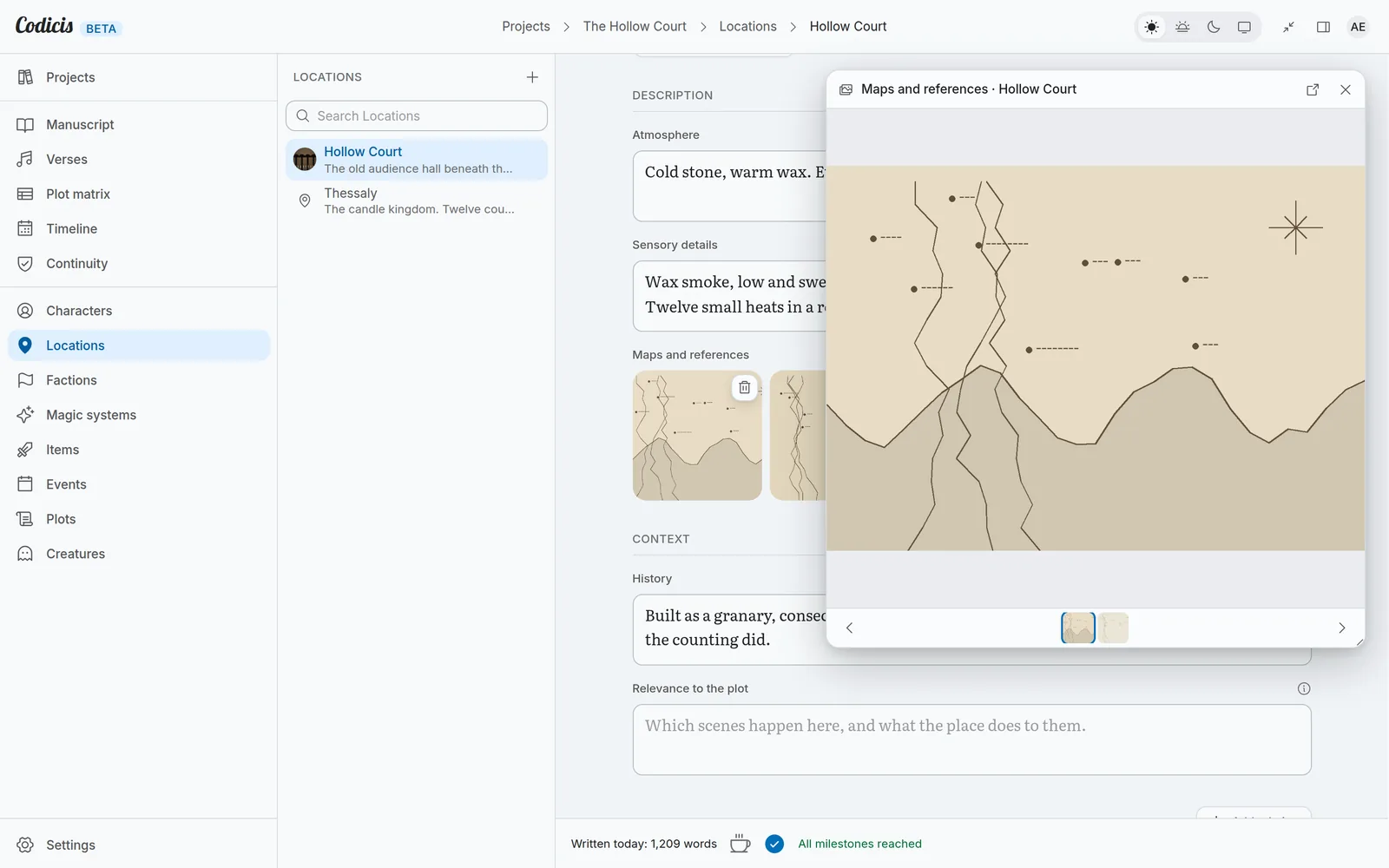
Portraits, crests, maps
A portrait on the character, a crest on the house, an image on the place — and a gallery for the maps and the studies. Click one and it opens in a window, over whatever you were writing.
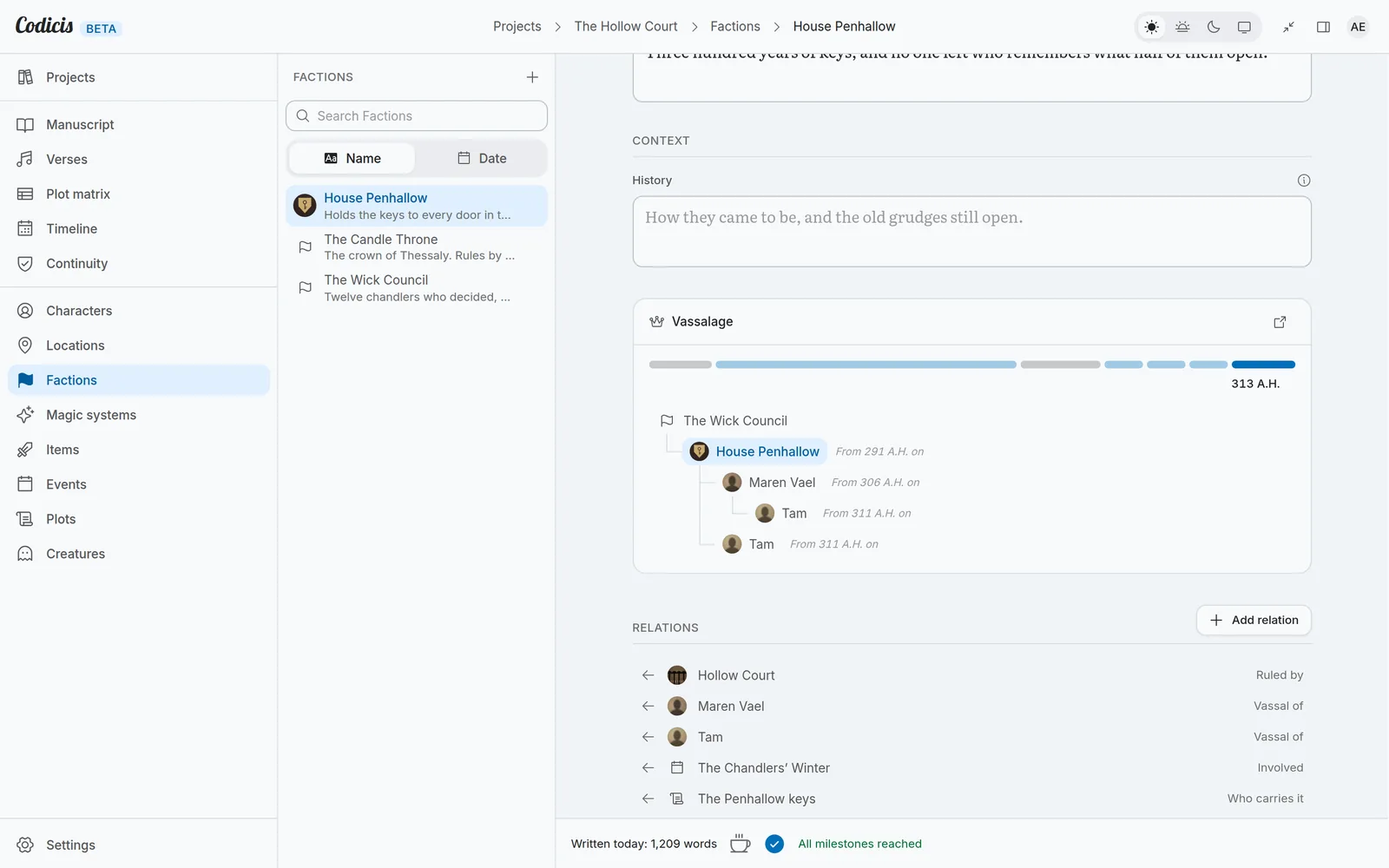
Relations that change with time
Who a house answers to, who leads it, who holds the sword — each link with a from and an until. The sheet shows the chain as it stands at any moment you pick, and every entry lists who points back at it.
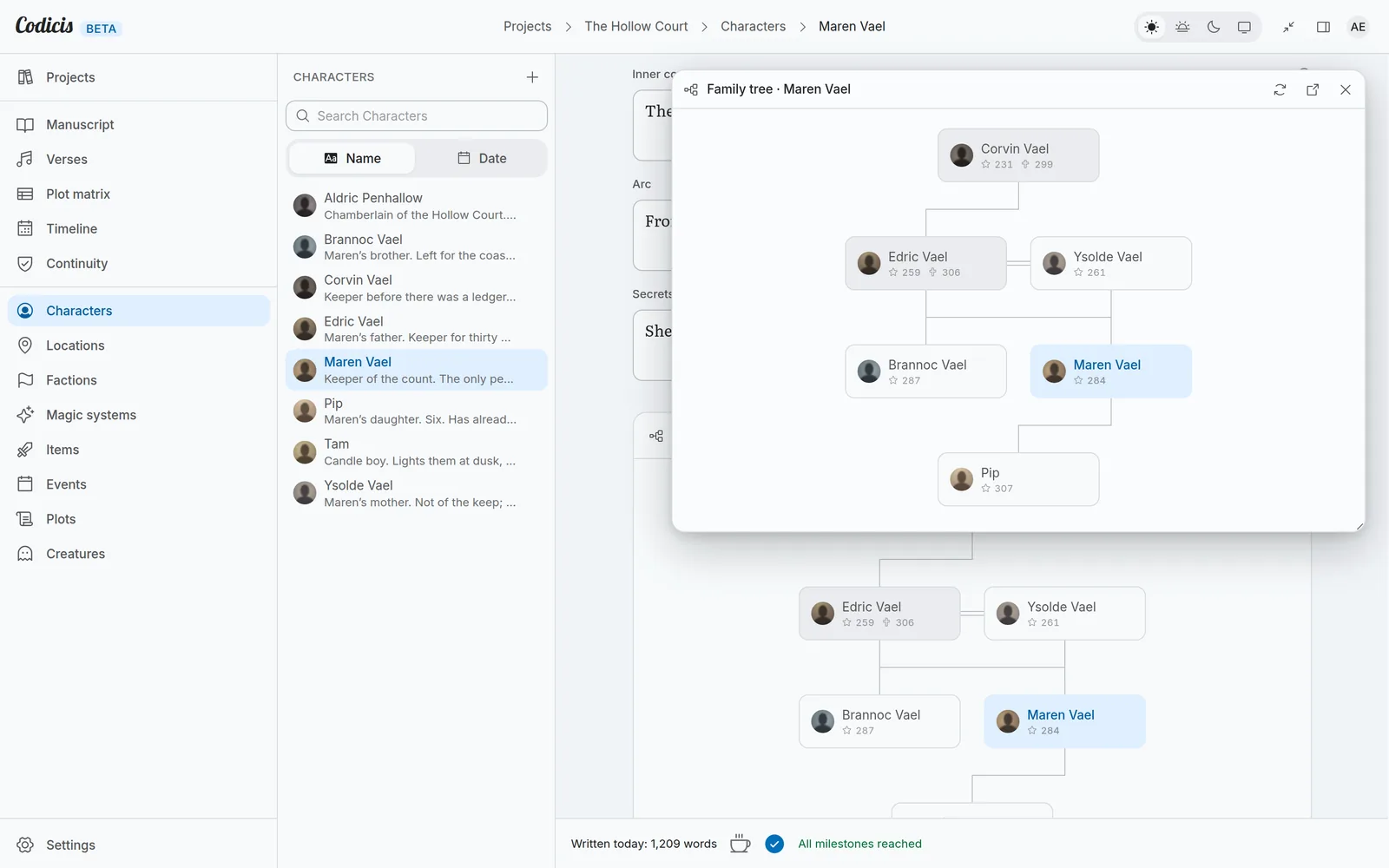
A family tree from the fields
Fill in parents and spouse on the entries and the tree draws itself: two generations up and down, spouses beside, siblings in a row, with faces and years. Nothing to draw by hand.
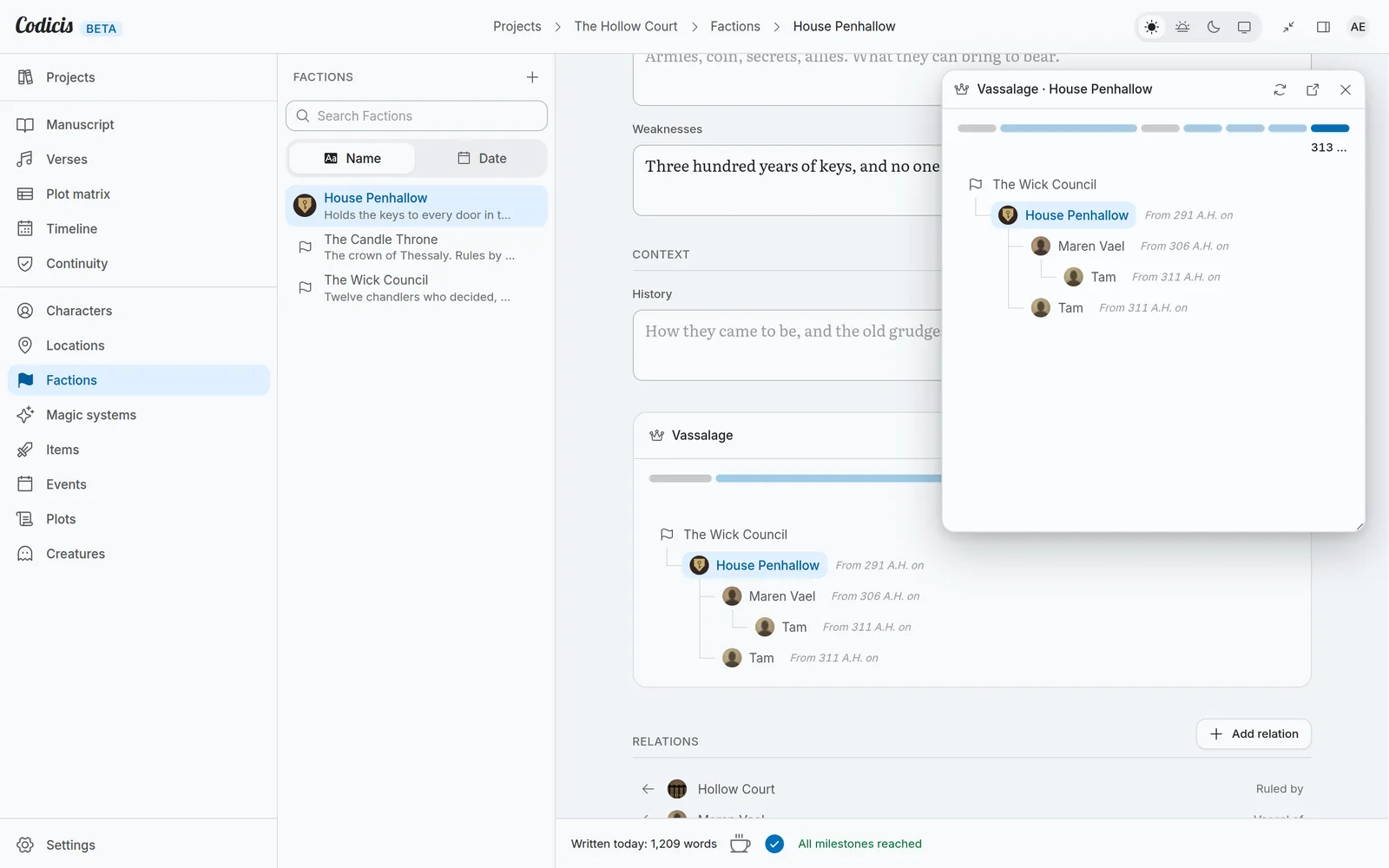
Vassalage, at any moment in time
The chain of allegiance up to the top and three levels down, with the court around it. Drag the moment selector and see the tree as it stood that year — independence included.
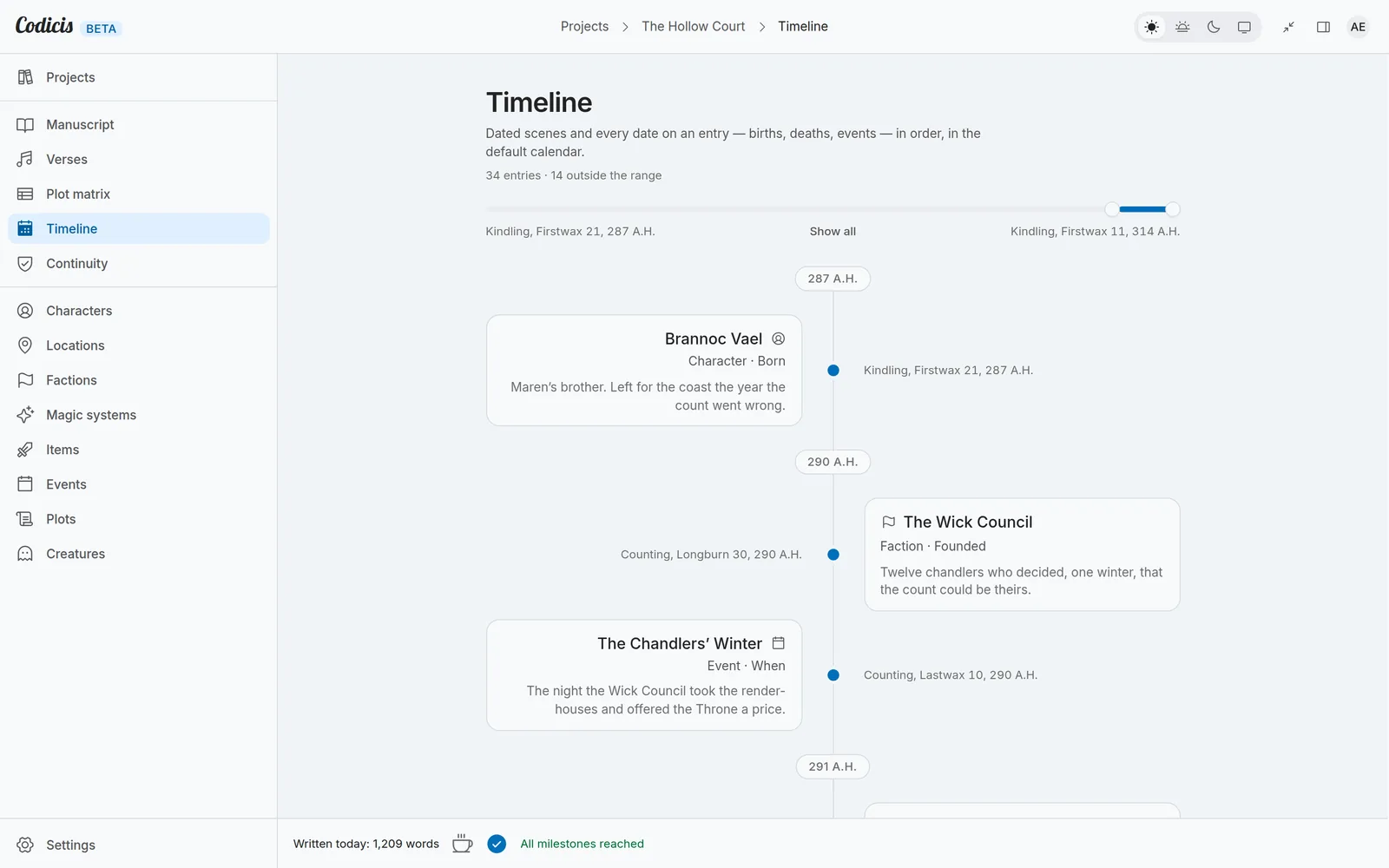
One timeline for text and world
Every dated scene and every date on every entry — births, deaths, foundings, events — in order, in your calendar, grouped by year. Nothing to enter twice.
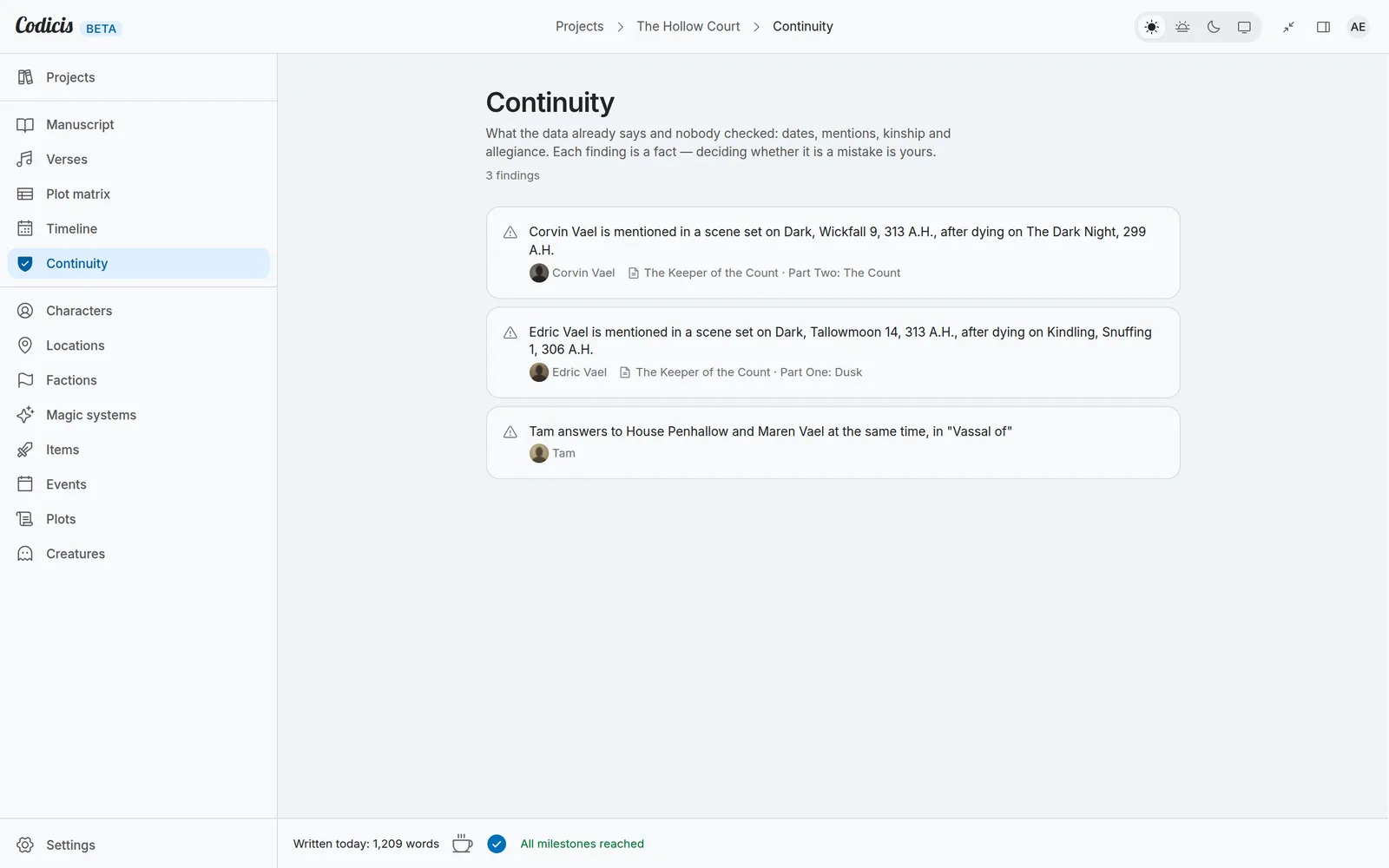
Continuity you can check
Six checks on what the data already says: a character mentioned before she was born or after she died, two lieges at once, a loop in the lineage. It points; you decide. No AI, no guessing.
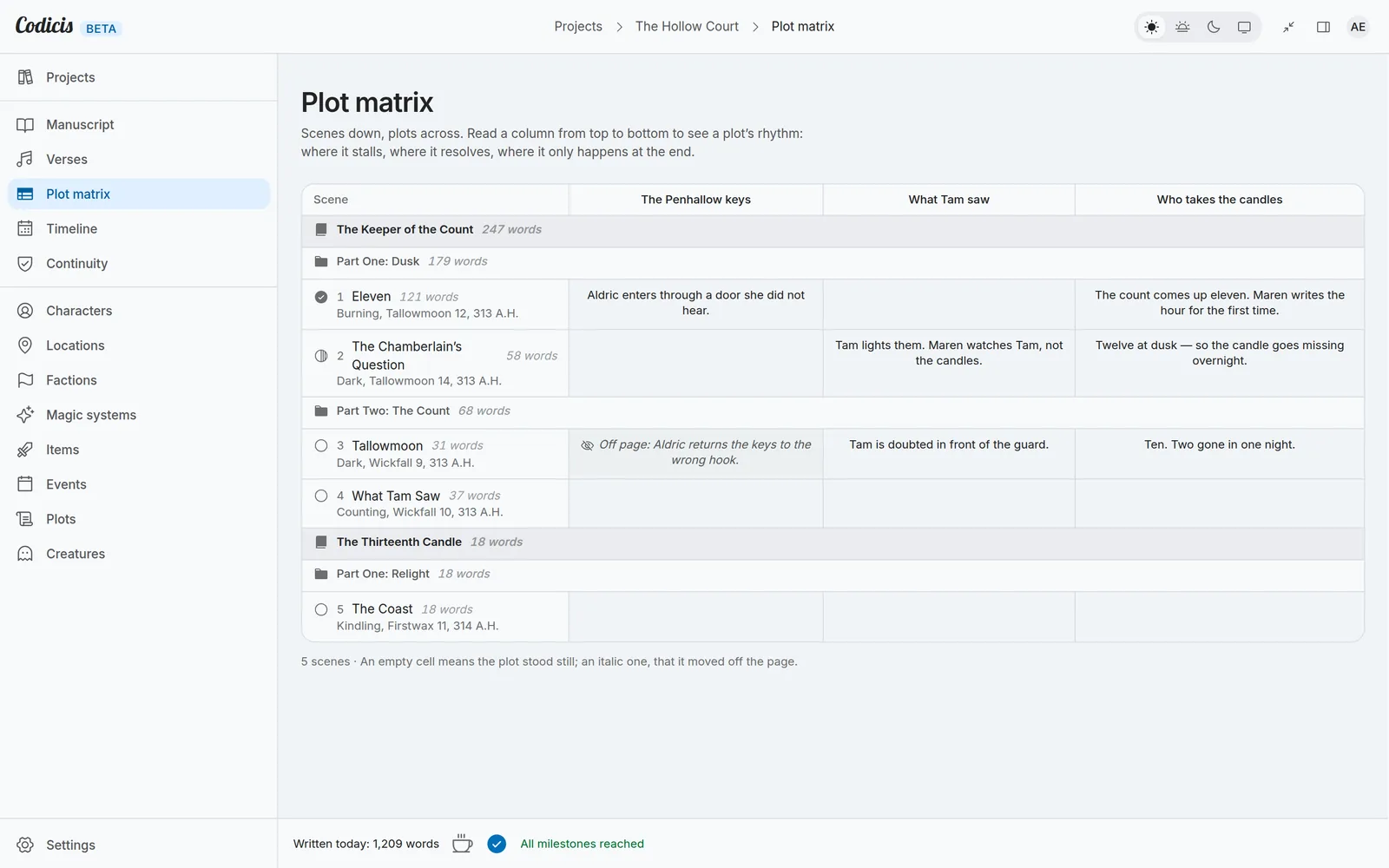
A plot matrix
Scenes down, plots across. Read a column to see where a thread stalls, where it resolves, where it only happens off the page. Plots are a type like any other, so you can have main arcs and subplots side by side.
A calendar of your own
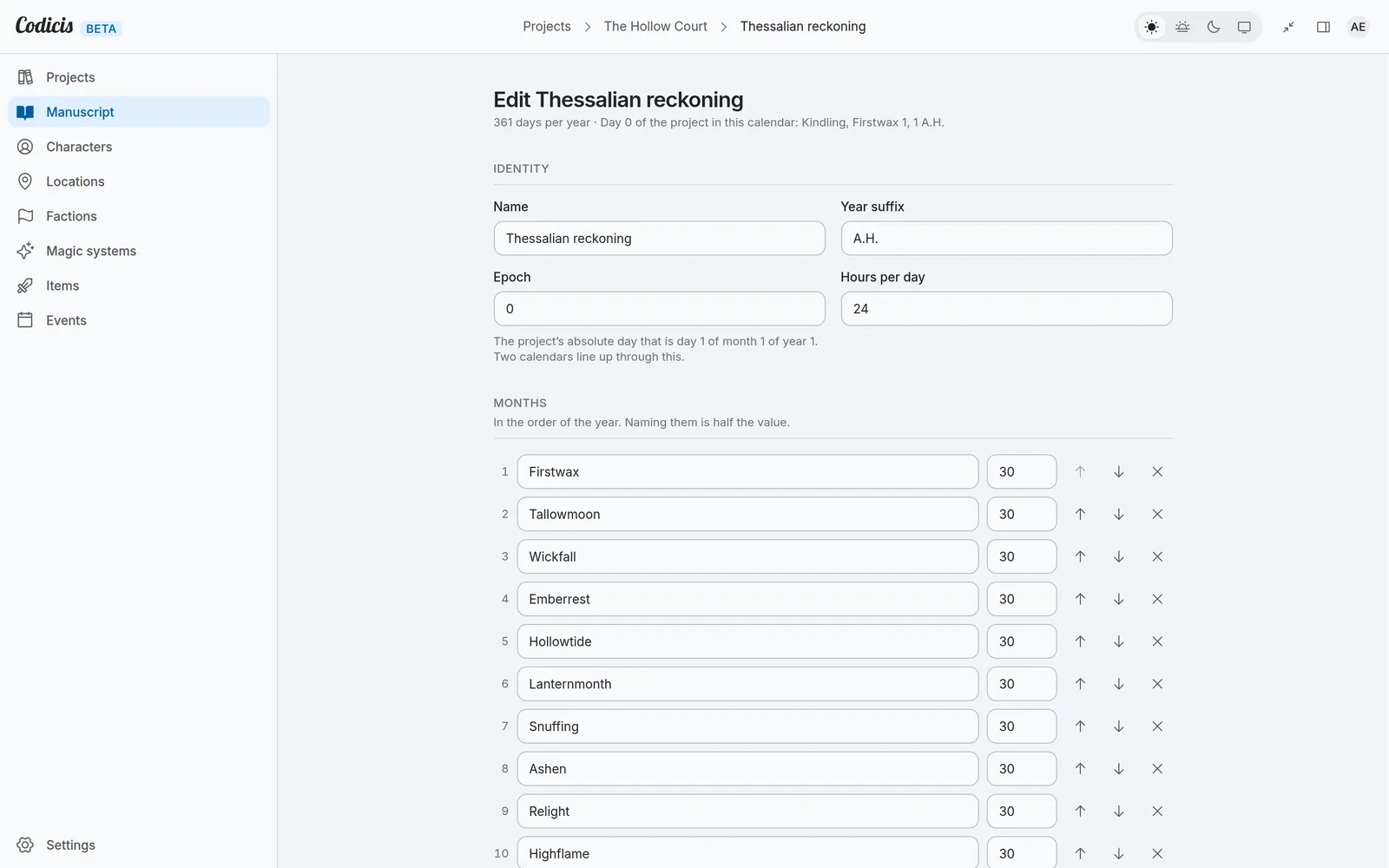
Twelve months you named, a five-day week, a Dark Night between them. A date is one absolute day, shown in every calendar of your world — no conversion tables to maintain.
Every kind of field
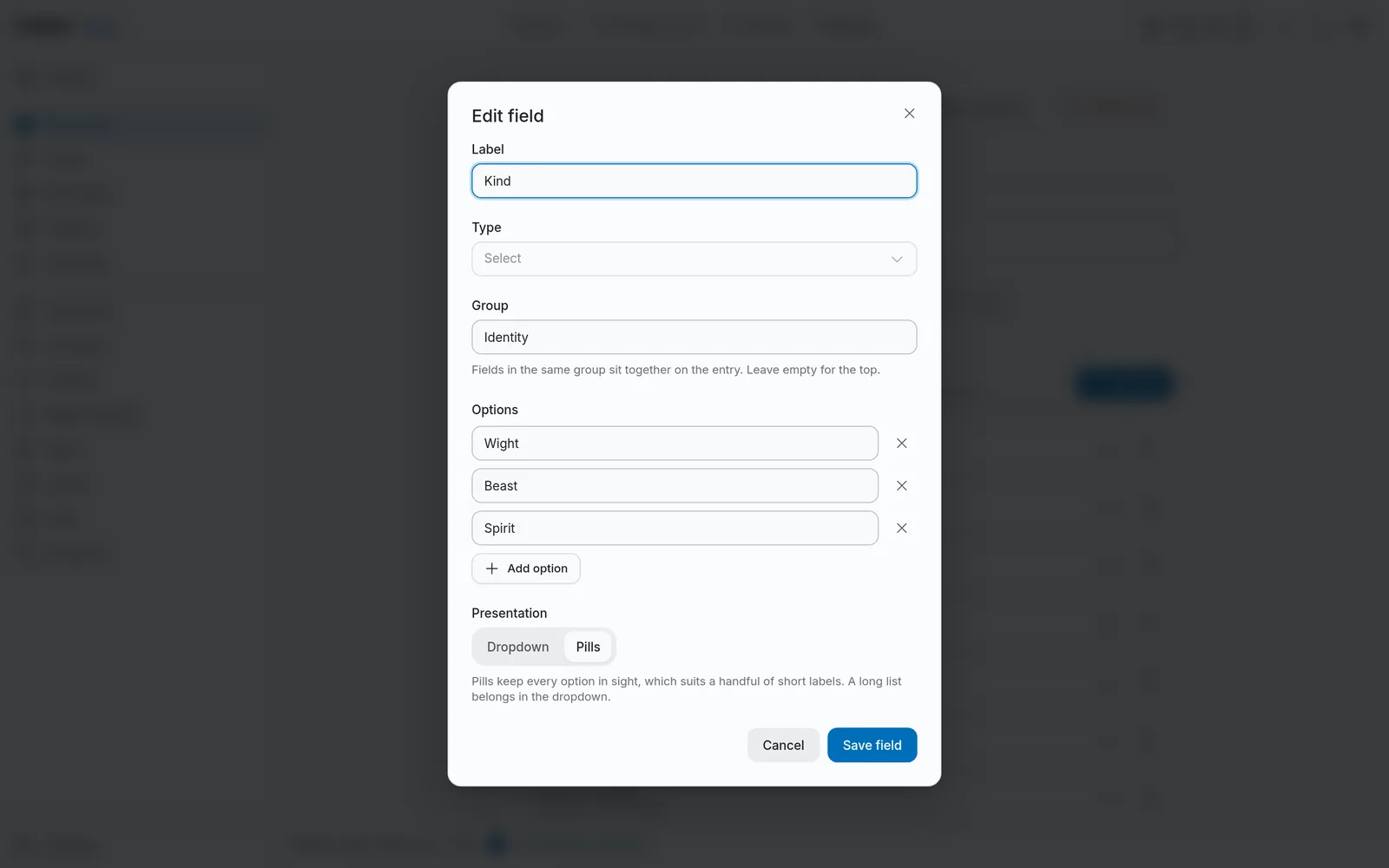
Text, long text with mentions, number, selection as a dropdown or pills, image, gallery, date in your calendar, relation with or without periods. A hint on each field, so the sheet explains itself.
Leave whenever you want
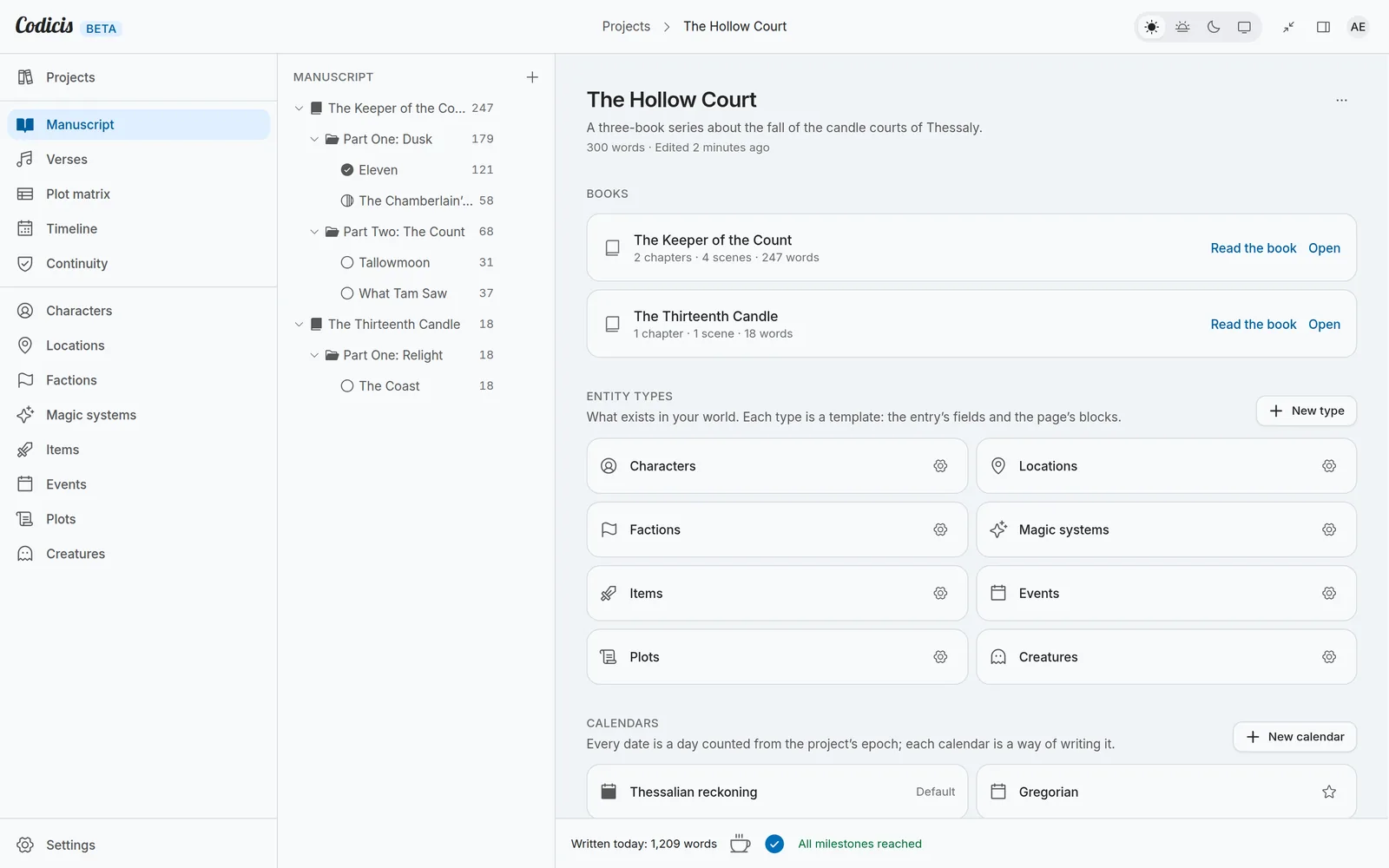
The whole project exports as readable Markdown with frontmatter — Obsidian opens it as is. The manuscript as DOCX and EPUB, songs set as they print. A daily backup you can download. No lock-in, by design.
Our position
Codicis does not generate, rewrite or suggest text. It does not summarize your chapters or "help" with names. Your manuscript is yours to write. And your words never train a model — not ours, not anyone else’s. It is written into our privacy policy in plain language.
Read the privacy policyPricing
Every feature is in every plan — editor, entries, calendars, mentions, export. The difference is volume: how many projects, how much image storage, how long the history is kept.
14 days free on every plan
For the novel you are writing now.
$2/ month
For the writer with more than one book going.
$5/ month
For the series you are building.
$10/ month
In every plan
Prices in US dollars. Cancel any time; your data stays readable and exportable after you do.
Questions
A new project opens straight in the editor — Book One, Chapter One, Scene One. The world can wait until you need it.